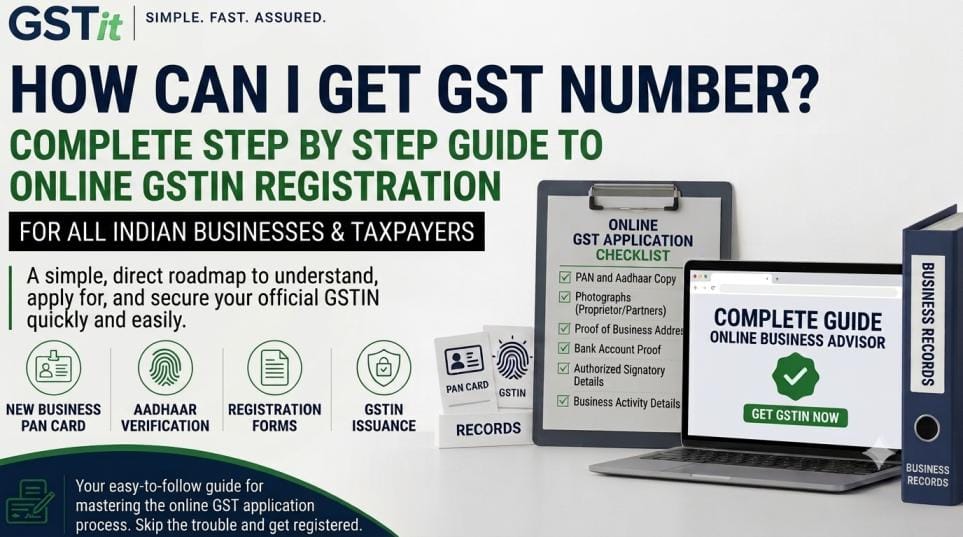
Starting a new business or expanding an existing one is an exciting milestone. However, one of the first official questions that every business owner faces in India is: “How can I get GST number?”
If you are new to taxes, government portals, and compliance, the process can feel confusing. Don’t worry! Registering for a GST number is a straightforward online process. You do not need to visit government offices or deal with long queues.
This comprehensive, beginner-friendly guide explains how do I get a gst number, the documents required, how to complete your online application, and how to find your gst number once approved.
What is a GST Number (GSTIN)?
Before learning how to register, let’s understand what a GST number actually is.
GST stands for Goods and Services Tax. A GST number—officially known as a GSTIN (Goods and Services Tax Identification Number)—is a unique 15-digit code assigned to every registered taxpayer in India.
Here is what the 15-digit GSTIN structure looks like:
- First 2 Digits: State Code (e.g., 27 for Maharashtra, 07 for Delhi)
- Next 10 Digits: Permanent Account Number (PAN) of the business or owner
- 13th Digit: Entity number based on total registrations under the same PAN within a state
- 14th Digit: Default letter (‘Z’)
- 15th Digit: Check digit used for error detection
If you are wondering how can I get gstin number for your new venture, the entire procedure is managed digitally through the official GST online portal. If you want professional assistance to handle the application for you, you can visit our dedicated GST Registration Page to get started in minutes.
Who Needs to Get a GST Number?
Not every small business is mandated to register for GST right away. You are legally required to obtain a GST number if you fall into any of the following categories:
- Turnover Exceeds Threshold Limits:
- Goods Suppliers: Annual turnover exceeds ₹40 Lakhs (₹20 Lakhs for special category states).
- Service Providers: Annual turnover exceeds ₹20 Lakhs (₹10 Lakhs for special category states).
- Turnover Exceeds Threshold Limits:
- Inter-State Businesses: Selling products or services from one Indian state to another.
- E-Commerce Sellers: Selling goods through online marketplaces like Amazon, Flipkart, or your own website.
- Casual Taxable Persons: Setting up seasonal or temporary stalls/businesses.
- Voluntary Registration: Even if your turnover is low, you can register voluntarily to claim Input Tax Credit (ITC) and build credibility with clients.
Note for Individual Business Owners: Are you running a single-owner business or shop? Check out our detailed guide on GST Registration for Sole Proprietor to see the exact requirements tailored for individual business operators.
Documents Required Before You Apply
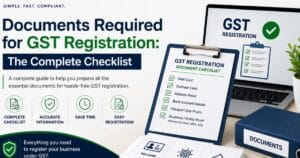
Having your documents ready in digital format (PDF or JPEG) will make your application much faster. Here is what you will need:
| Document Category | Documents Required |
| Identity & Address Proof | PAN Card and Aadhaar Card of the applicant/owner |
| Photograph | Passport-size photo of the primary owner or authorized signatory |
| Business Address Proof | Electricity bill, property tax receipt, rent agreement, or NOC from property owner |
| Bank Account Proof | Cancelled cheque, bank passbook front page, or bank statement with account details |
| Business Registration Proof | Partnership deed, Certificate of Incorporation, or shop license (if applicable) |
Understanding Indian GST Rules & Business Categories
Before submitting your application online, it helps to understand how GST registration rules apply to different business structures in India. Depending on whether you operate as a Private Limited Company, Partnership Firm, or Limited Liability Partnership (LLP), the exact document submission requirements and compliance rules may vary slightly.
For a detailed, all-in-one breakdown covering every business entity type, state-wise rules, and turnover thresholds, read our Complete GST Registration Guide India. It provides an in-depth look at everything you need to know before starting your online application.
How to Apply New GST Registration: Step-by-Step
If you are asking yourself how do you get a gst number, here is the exact step-by-step process to complete your registration online:
Go to the official government tax portal at www.gst.gov.in. Under the main menu, navigate to Services > Registration > New Registration.
Step 2: Complete Part-A of the Registration Form
On the New Registration page, fill in the preliminary details:
- Select Taxpayer in the “I am a” drop-down menu.
- Select your State and District.
- Enter the Legal Name of Business exactly as printed on your PAN card.
- Enter your PAN Number.
- Provide a valid Email Address and Indian Mobile Number.
Click Proceed. You will receive two separate One-Time Passwords (OTPs)—one on your mobile number and one in your email inbox. Enter both OTPs to verify.
Once verified, a 15-digit Temporary Reference Number (TRN) will be shown on the screen and sent to your email and phone.
Step 3: Complete Part-B using TRN
Now that you have your TRN, go back to Services > Registration > New Registration and choose the Temporary Reference Number (TRN) option.
- Enter your TRN and captcha text, then click Proceed.
- Enter the new OTP sent to your mobile/email.
- You will see your draft application dashboard. Click the Edit icon to start filling out Part-B.
Part-B has several tabs to complete:
- Business Details: Trade name, type of business entity, state jurisdiction, and date of starting business.
- Promoters / Partners: Personal information, identity proof, and photo of the proprietor or partners.
- Authorised Signatory: Details of the person responsible for signing GST forms.
- Principal Place of Business: Business address, nature of premises (owned, rented, or leased), and address proof.
- Goods and Services: Select the primary HSN codes (for goods) or SAC codes (for services) you deal in.
Step 4: Opt for Aadhaar Authentication
Selecting Aadhaar Authentication during registration speeds up your approval process significantly. An authentication link is sent to your registered mobile number linked with Aadhaar. Clicking the link and validating with OTP verifies your identity instantly.
Step 5: Submit the Application and Get ARN
Review all entered information carefully. Submit the application using one of the verification methods:
- EVC (Verification Code via Aadhaar OTP): Best for individuals and sole proprietors.
- DSC (Digital Signature Certificate): Mandatory for Companies and LLPs.
After submission, an Application Reference Number (ARN) is sent to your email and phone. Keep this ARN safe to track your application status.
How to Find Your GST Number Status
Once you have submitted your application, tax authorities review your submission. Approval usually takes 3 to 7 working days if all details are correct.
If you are wondering how do I find my gst number or track where your application stands, follow these steps:
- Go to
www.gst.gov.in.
- Go to
- Click on Services > Registration > Track Application Status.
- Select ARN, enter your 15-digit ARN, type the captcha, and click Search.
If your status shows Approved, your GST Certificate is generated.
How to Find Your GST Number Using Your PAN Card
If you already registered in the past or want to verify an active GSTIN, you might ask: how to find your gst number using PAN?
- Visit the GST Portal home page.
- Click on Search Taxpayer > Search by PAN.
- Enter your 10-digit PAN number and captcha code.
- The system will display all GSTINs associated with that PAN across India.
Benefits of Obtaining a GST Number
Getting registered under GST offers multiple business advantages:
- Legal Recognition: Makes your business officially recognized across India.
- Input Tax Credit (ITC): Claim credit for taxes paid on purchases and raw materials, reducing overall tax burden.
- Sell Inter-State & Online: Sell products across state borders and list on top e-commerce platforms like Amazon and Flipkart.
- Increased Customer Trust: Corporate clients prefer dealing with GST-registered vendors to claim tax benefits.
Frequently Asked Questions (FAQs)
1. Is there any government fee to get a GST number?
No, government registration on the GST portal is 100% free of cost. You do not have to pay government fees when submitting Form REG-01.
2. How long does it take to get a GST number after applying?
If you complete Aadhaar authentication, your application is typically approved within 3 to 7 working days. If additional clarification or physical site verification is requested by an officer, it may take slightly longer.
3. Can I get a GST number without a commercial office?
Yes! You can register a GST number using your residential address as your principal place of business. You simply need to upload a utility bill (electricity/water bill) and an NOC (No Objection Certificate) from the property owner.
4. What happens after my GST registration is approved?
You will receive a official GST Registration Certificate (Form GST REG-06). You can log in to the GST portal using your credentials, download your certificate, display it at your workplace, and start issuing GST-compliant invoices.
Ready to Get Your GST Number?
Understanding how can I get gst number is the first step toward building a compliant, scalable business in India. While the government portal is open to everyone, avoiding technical errors, jurisdiction mistakes, and document rejections requires precision.
If you want a smooth, hassle-free registration process managed by professionals, explore our GST Registration Page today! We ensure your documents are prepared correctly so your GSTIN gets approved without delays.