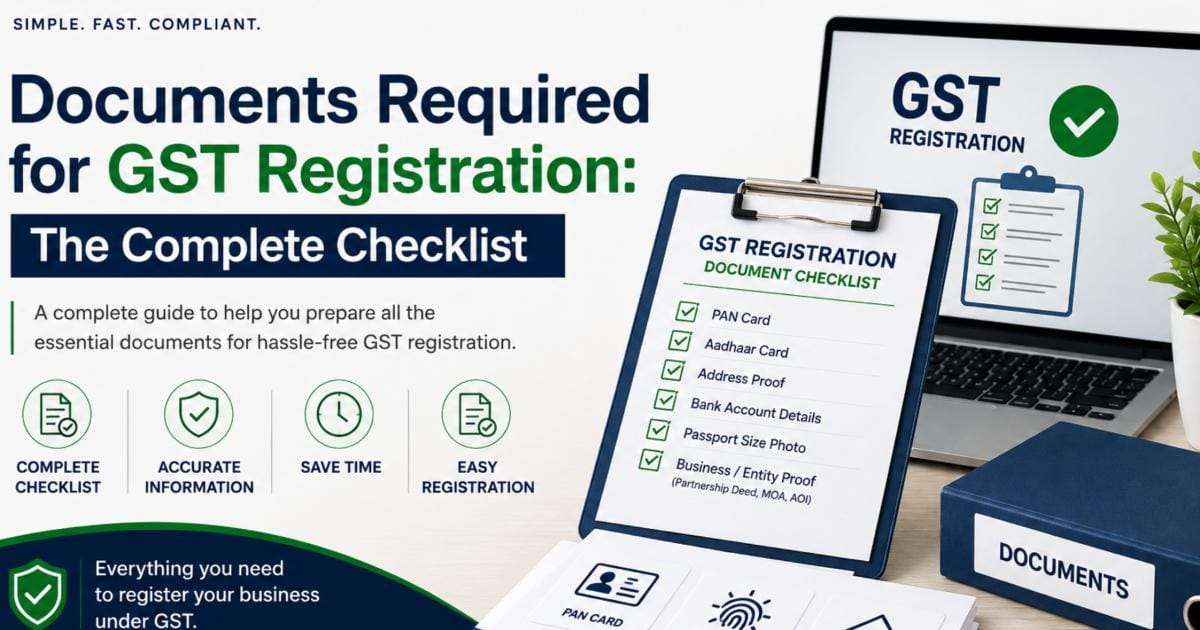
When applying for goods and services tax registration, having the correct documents ready is the most important step to avoid application rejections or unnecessary delays.
Whether you are starting a new business or expanding an existing venture, this comprehensive guide outlines all the essential documents required for gst registration based on your business type, along with upload guidelines for a smooth setup.
Essential Documents Required for GST Registration
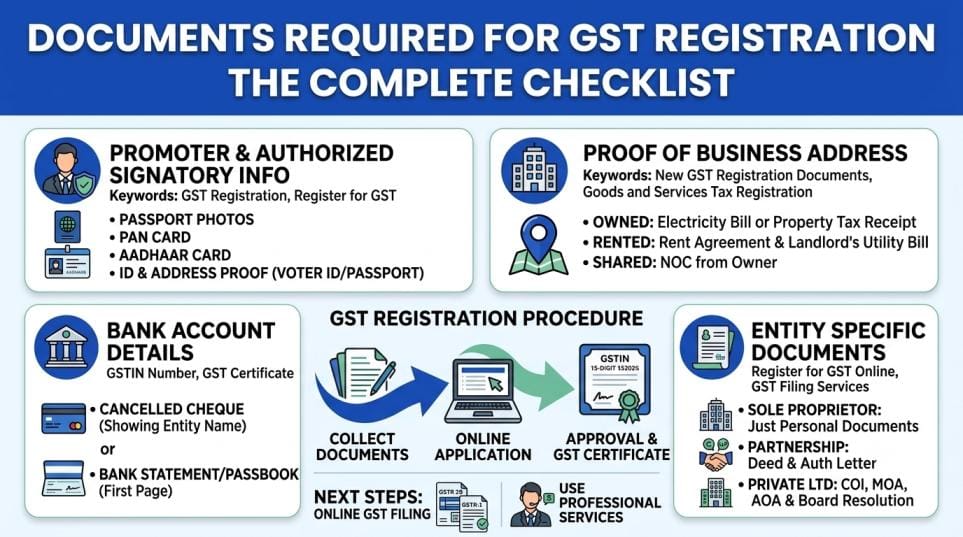
Regardless of your business structure, every applicant must provide primary verification documents across four main categories:
1. Identity & Address Proof of Promoters
- PAN Card: Permanent Account Number of the proprietor, partners, or company.
- Aadhaar Card: Required for primary applicants and directors for mandatory e-KYC/Aadhaar authentication.
- Passport-Size Photographs: Recent photos of all proprietors, partners, or directors (JPEG format, under 100 KB).
2. Proof of Principal Place of Business
- Owned Premises: Latest electricity bill, property tax receipt, municipal khata copy, or ownership deed (not older than 2 months).
- Rented/Leased Premises: Valid Rent or Lease Agreement accompanied by an electricity bill in the landlord’s name.
- Shared/Consent Premises: A No Objection Certificate (NOC) from the owner along with their utility bill.
3. Bank Account Proof
To verify your business bank account, you must upload any one of the following:
- A cancelled cheque showing the entity or trade name.
- The first page of the bank passbook containing account details.
- A recent bank account statement showing the IFSC code and account number.
GST Documents Checklist by Business Entity
Different business structures require specific registration certificates and authorization letters. Use this breakdown to gather your new gst registration documents before you begin:
| Business Structure | Key Entity Documents | Authorization Required |
| Sole Proprietorship | Individual PAN Card, Aadhaar, Address Proof | Not applicable |
| Partnership Firm | Firm PAN, Partnership Deed, Registration Certificate | Letter of Authorization signed by all partners |
| LLP (Limited Liability) | LLP PAN, Certificate of Incorporation (MCA), LLP Agreement | Designated Partner Board Resolution + Class 3 DSC |
| Private Limited Company | Company PAN, Certificate of Incorporation, MOA & AOA | Board Resolution authorizing director + Class 3 DSC |
Need help gathering entity-specific documents? Let our experts handle your GST registration online from start to finish
File Format & Size Specifications for the GST Portal
When preparing your gst registration documents, make sure they comply with the government portal’s strict upload guidelines to prevent filing errors:
Portal File Upload Rules:
- Photographs: JPEG format only, maximum size 100 KB.
- PDF & Image Proofs: PDF or JPEG format, maximum size 1 MB per file.
- Clarity: Ensure all scanned copies are clear, legible, and uncropped.
From Document Submission to GST Compliance
Preparing your paperwork is the first step when you register for gst online. Here is what happens after you complete your application:
- Submit Application: You complete the gst registration procedure on the portal (
gst.gov.in) using your uploaded files.
- Verification: The tax officer reviews your gst registration details and uploaded proofs.
- Approval & Issuance: Once verified, your 15-digit gstin number is generated, and your official gst certificate becomes available for download.
Post-Registration Requirements
Once your registration is active, your business must maintain regular compliance through online gst filing. This includes filing monthly or quarterly returns like GSTR 3B and GSTR-1 to report sales and claim Input Tax Credit.
If managing recurring tax deadlines feels overwhelming, leveraging our professional gst filing services ensures your business remains fully compliant with ongoing gst return filing requirements without missing statutory deadlines.
Ready to Register for GST?
Collect your documents required for gst registration today, ensure all utility bills are recent, and keep your mobile number linked to your Aadhaar for smooth e-verification.